Improving the UOB call centre experience
The UOB call centre team had requested our evaluation of the bank’s Interactive Voice Response (IVR) system, so they could properly assess its future. I was roped in to review the call centre scripts, but took the chance to push for improvements we could make now.
Experience analysis and feasibility check
We first mapped out the entire call tree. Then we imagined likely user scenarios and called in ourselves to experience the journey.
After noting down personal experiences and opportunities for improvement, we presented them to the team, alongside a detailed list of recommendations.
We knew the bigger ideas – redesigning the call tree architecture or introducing more self-serve features – would need to wait, but we tried asking anyway: were any improvements feasible now?
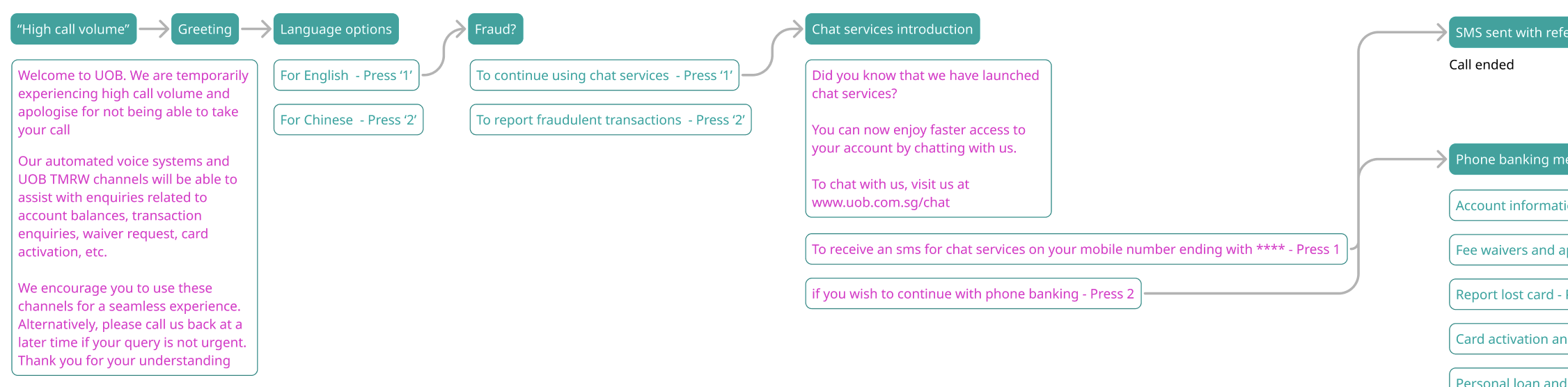
Maybe two things. The “high call volume” script, and the “chat services introduction” script.
Opportunities for improvement:
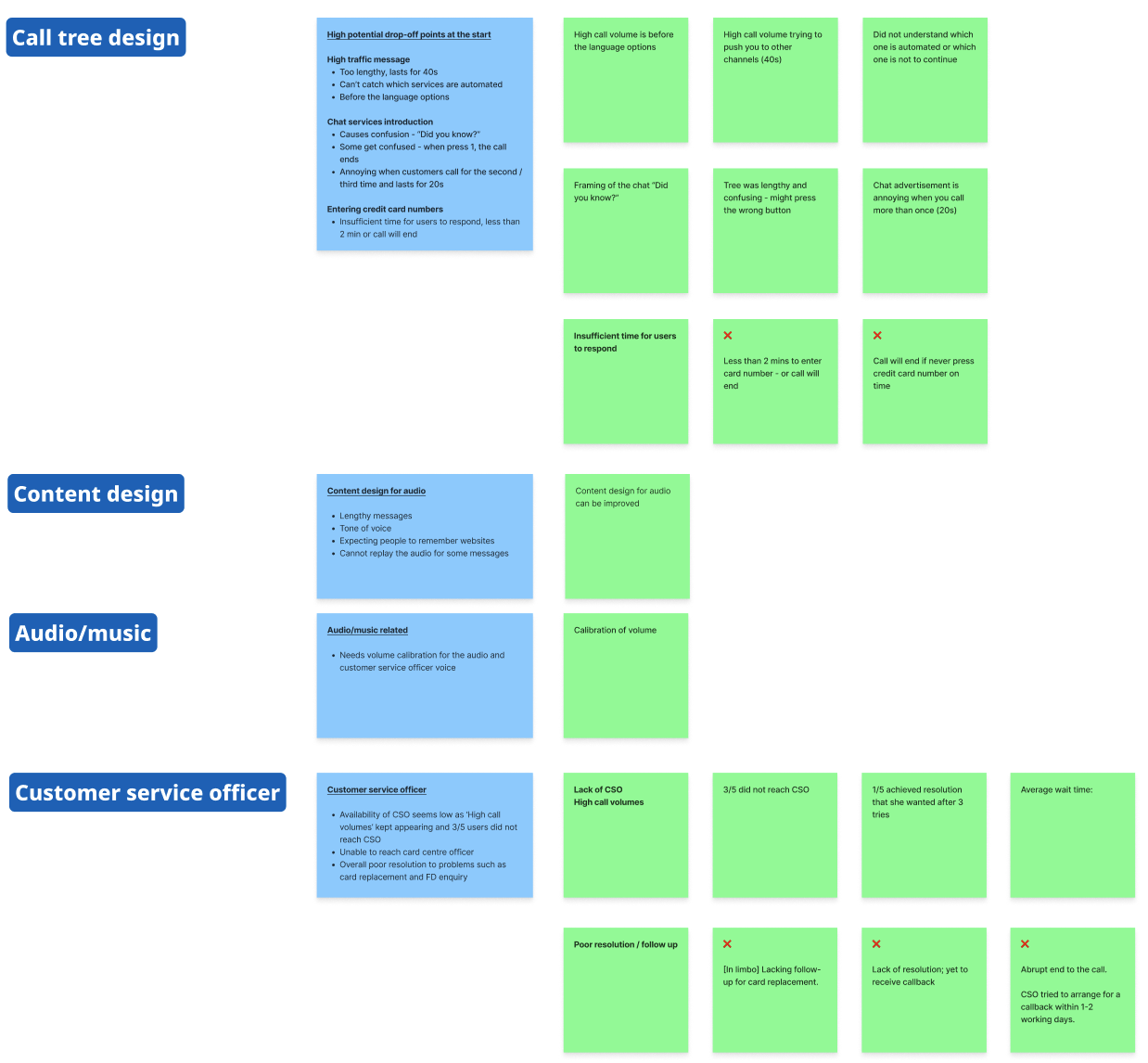
journal of experiences:
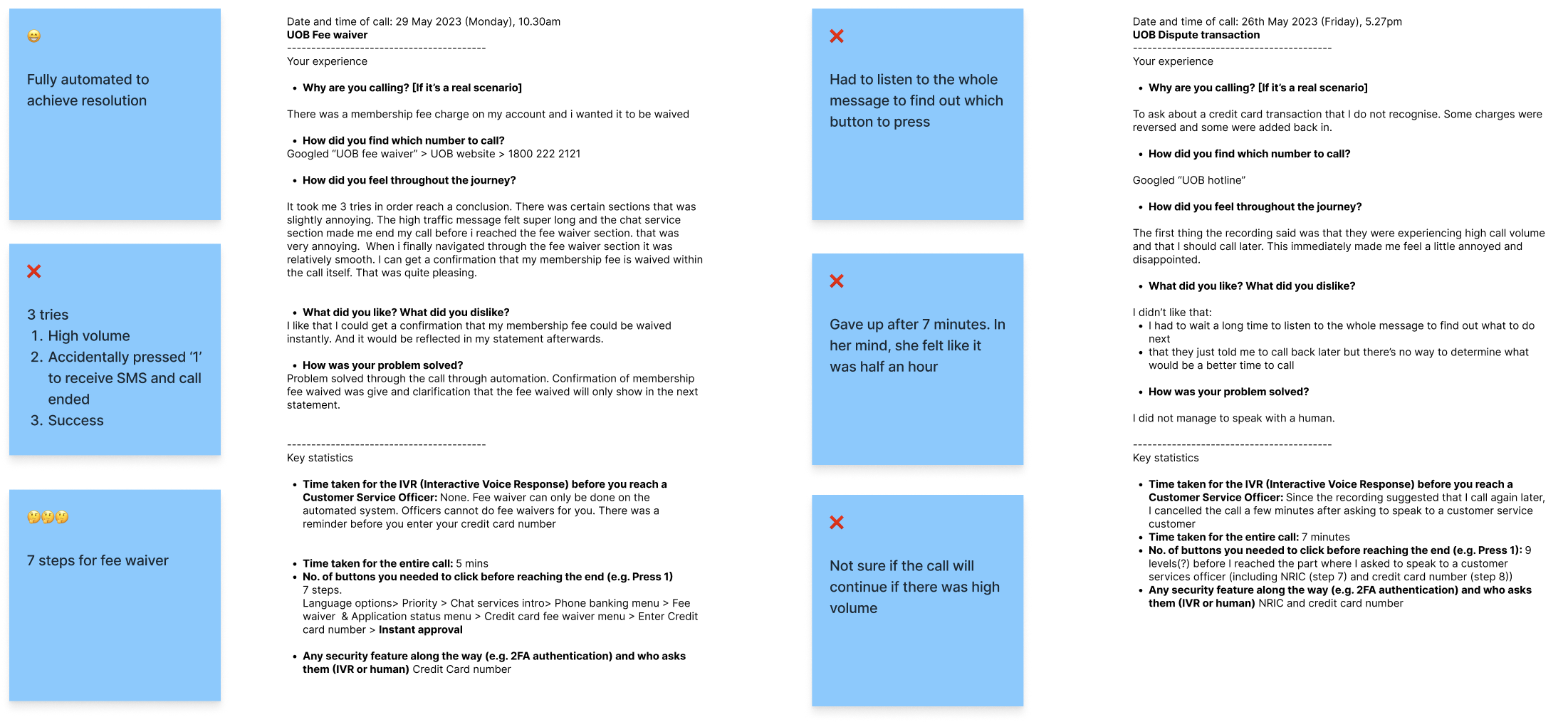
These scripts were exactly the ‘quick wins’ we identified too, being relatively low-effort and potentially high-impact.
They’d caused much frustration and confusion for our test callers, and since they played at the start of the journey, every caller had to sit through them. If we could improve these scripts, we could potentially help every caller save time and navigate the IVR more efficiently.
“High call volume” script and “chat services promotion” script in uob’s call tree:
Testing and roll-out
Referencing best practices for IVR content design, I rewrote the scripts, aligned them with stakeholders, then had them recorded and tested.
9 participants were given a task to call in and report a fraudulent transaction, as we simulated a low-fidelity IVR call experience, manually playing the recordings as they told us their selection via Teams.
High call volume script rewrite
We are temporarily experiencing high call volume and apologise for not being able to take your call.
Our automated voice systems and UOB TMRW channels will be able to assist with enquiries related to account balances, transaction enquiries, waiver request, card activation, etc.
We encourage you to use these channels for a seamless experience.
Alternatively, please call us back at a later time if your query is not urgent.
Thank you for your understanding.
We’re getting more calls than usual, and are unable to speak with you right now.
If you stay on the line, you can still check your balances and transactions, activate your cards, request fee waivers, and more.
Otherwise, you may also use the UOB TMRW app, or call us back later.
Thank you.
chat services introduction script rewrite
Do you know that we have launched chat services?
You can now enjoy faster access to your account by chatting with us
To chat with us, visit us at www.uob.com.sg/chat
To receive an SMS for chat services on your mobile number ending with ****, press 1.
If you wish to continue using phone banking, press 2.
For an even faster way to get help, try chatting with us at www.uob.com.sg/chat instead.
To continue using phone banking, stay on the line.
The rewrites tested very well.
8/9 preferred the redesigned scripts, describing them as “concise and straightforward”, and saying they “took much faster” to get to the next step.
Notably, 4/9 participants had misunderstood the original “chat services” script, thinking that “chat services” and phone banking were the same thing. In the rewritten script, all participants clearly understood the difference.
Unfortunately, we couldn’t implement this in the end due to budget reprioritisations, but we were confident that it would successfully:
Save customers over 30 seconds every time they called the UOB Contact Centre
Shorten average call durations and reduce operational costs
Redirect more callers to our self-serve chat function, easing call centre volume